How do you optimize YouTube videos to appear in branded Google search results?
YouTube videos rank for branded Google queries through channel-level branding signals (verified channel, complete About section, custom URL, link to the corporate site), video-level signals (brand-inclusive titles, full transcripts, descriptive descriptions with timestamps), and VideoObject schema on the page where each video is embedded. YouTube is the world's second-largest search engine, and well-optimised videos often appear in Google's video results for branded queries.
YouTube is the world’s second-largest search engine, and the videos that rank well on YouTube often surface on Google too: in video carousels, the dedicated Videos tab, and sometimes in standard organic results for branded queries. Optimising for that path works at two levels: the channel as an entity, and each video as a crawlable document.
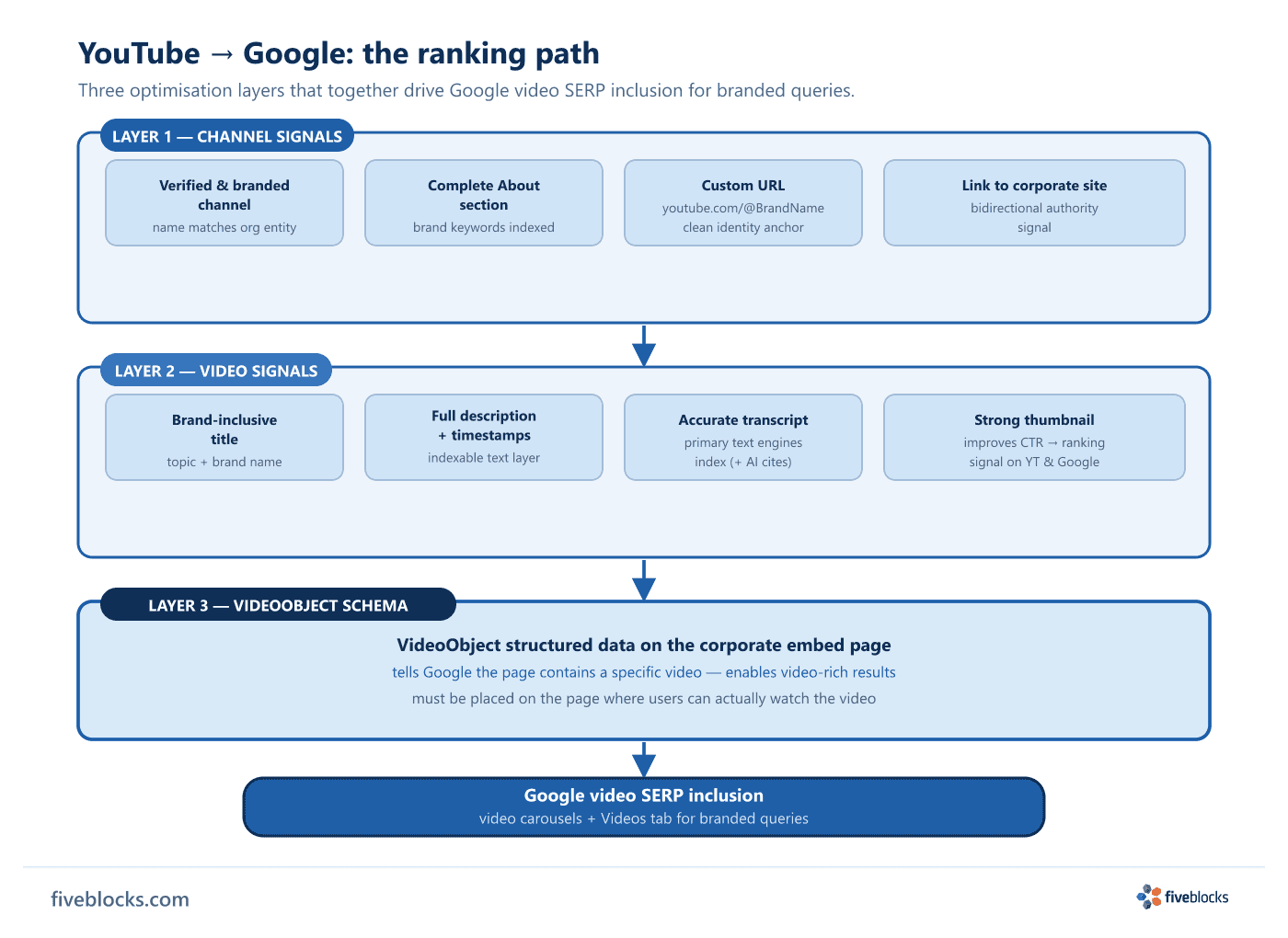
Step 1: Build a channel that signals authority
- Verify and brand the channel. A verified, consistently branded channel name that matches the company’s canonical name helps the engines connect the channel to the organisation entity.
- Complete the About section. A full channel description with brand keywords and context gives the engines text to index at the channel level.
- Set a custom URL. A custom URL (
youtube.com/@BrandName) creates a clean, citable identity anchor and makes the channel easier to link to from the corporate site. - Link back to the corporate site. The channel’s links section should include the canonical corporate URL, creating a bidirectional authority signal between the YouTube entity and the owned domain.
Step 2: Optimise each video as a crawlable document
- Brand-inclusive titles. Descriptive titles that include the brand name and the underlying topic help Google associate the video with branded queries.
- Complete descriptions with timestamps. A full description, with timestamps for longer videos and links to relevant owned pages, gives the engines additional indexable text and improves click-through signals.
- Upload or verify transcripts. Search engines cannot watch video; they index text. Accurate transcripts, auto-generated or manually uploaded, are the primary text layer the engines extract from. AI engines also crawl YouTube transcripts directly and can cite them alongside written sources.
- Thumbnail and engagement quality. Strong thumbnails improve click-through rate, which is an engagement signal that influences ranking on both YouTube and Google.
Step 3: Apply VideoObject schema on the embed page
When a video is embedded on the corporate site (an executive interview on the leadership page, a product launch on a product page), add VideoObject structured data to that page. This markup tells Google the page contains a specific video, enables video-rich results, and reinforces the connection between the corporate domain and the YouTube content. VideoObject schema has to go on the page where users can actually watch the video.
Content types that work best
- Executive interviews and thought leadership talks
- Conference presentations and keynotes
- Product launches and demonstrations
- Explainer content tied to topics the brand wants to own in Google results
For branded queries, this works best when all three layers are in place at once: channel entity, video document, and embed-page schema. Miss any one layer and you give up signal the others can’t make up for.
Last reviewed: 19/05/2026
Sources (4)
- Video (VideoObject, Clip, BroadcastEvent) Schema Markup | Google Search Central developers.google.com
- YouTube for SEO: Boost rankings with video content searchengineland.com
- 23 YouTube Stats and Facts You Should Know brandwatch.com
- YouTube: The World's Second Largest Search Engine (Intro to Social Media) open.library.okstate.edu