How do you handle negative content that appears in Google’s People Also Search For?
People Also Search For is an entity-level feature: it surfaces other entities Google's users searched for alongside yours, so you cannot edit the box directly. You shift it indirectly by building co-citation patterns in authoritative content that tie the brand to preferred peers and partners, which moves Google's entity associations over time.
People Also Search For is an entity-level feature, not a piece of content you can edit. Google surfaces other entities its users searched for alongside the queried entity, with policy filtering on top. You influence it indirectly, by reshaping the entity signals Google draws on rather than by editing the box itself.
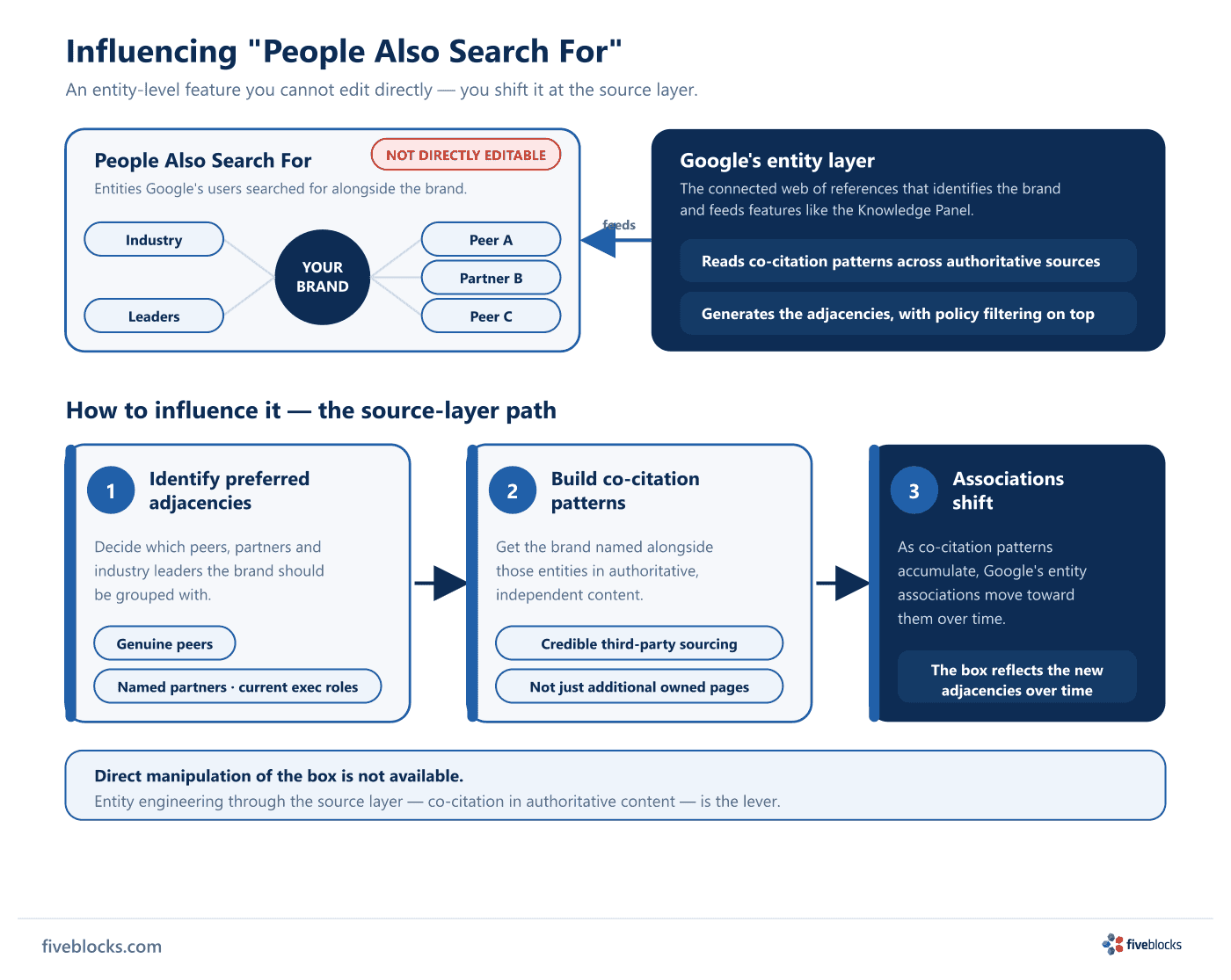
Why the box shows what it shows
The adjacencies come out of Google’s entity layer, the web of references that identifies an organization to the platform and feeds features like the Knowledge Panel. When the displayed adjacencies are accurate and preferred, the box reinforces correct positioning:
- The brand’s real peers and competitive set
- Named partner organizations and affiliations
- An executive’s current, known roles
When the adjacencies are unfavorable (competitors you do not want to be grouped with, dropped affiliations, or hostile entities), the same mechanism reinforces the wrong picture.
How to influence it
The output is generated, not editable, so the work happens at the sources Google reads:
- Identify the preferred adjacencies. Decide which peers, partners, and industry leaders you want the brand associated with.
- Build co-citation patterns. Get the brand named alongside those entities in authoritative, independent content, the kind of credible third-party sourcing engines weight most heavily, not just more owned pages.
- Let the associations shift. As those co-citation patterns build up, Google’s entity associations move toward them over time.
You cannot edit the box directly. Shaping the sources Google reads is the way in.
Last reviewed: 19/05/2026